
Dash Cam: Dashcam Viewer
Driving Theory Test LLCAuto & Vehicles
4.3135.00 Reviews
- Version
- 1.1.2
- Installs
- 100.00K
- Age Rating
- Everyone
Screenshots
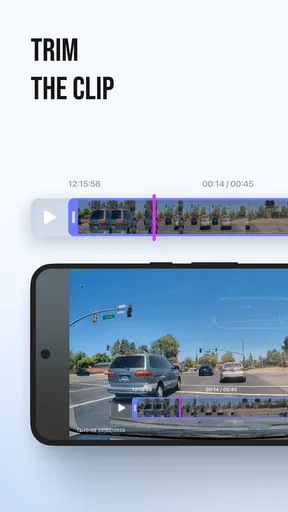
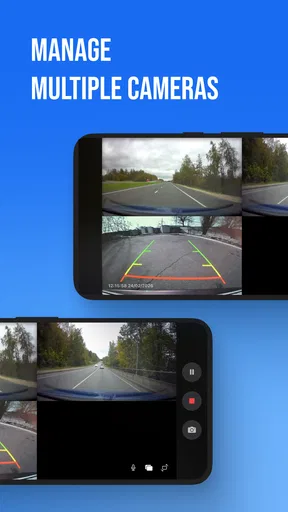
Our Review of Dash Cam: Dashcam Viewer
 Analysis by Appyee
I found Dash Cam: Dashcam Viewer most useful as a focused companion for people who already record their journeys and want a simpler way to watch the resulting footage on a phone. It sits in the Auto & Vehicles category, is free to install, and is aimed at viewing and downloading dash cam videos rather than replacing the camera itself. That distinction matters: this is not a driving assistant, navigation tool, or editing suite. Its value depends on how well it helps you get from a recorded clip to something you can actually inspect, save, or share.
The app is developed by Driving Theory Test LLC and has built a respectable early audience, with an average rating of 4.4 from around 3.4 thousand ratings and more than 10 thousand installs. I would treat that as encouraging rather than conclusive, because dash cam apps can behave very differently depending on the camera, phone, wireless connection, and video size. Still, the response suggests that the basic idea is landing with drivers who want access to their recordings without reaching for a computer every time.
How Dashcam Viewer feels during ordinary use
The first thing I noticed is that its appeal is mainly about reducing friction. A dash cam often does its job quietly in the background, but reviewing footage can become awkward when the camera stores files on a memory card or exposes them through a manufacturer-specific connection. A dedicated viewer gives that process a clear destination. Instead of treating a recording as something you only inspect after an accident, I see this kind of app as useful for checking a confusing moment, saving an interesting drive, or confirming what happened in a parking lot.
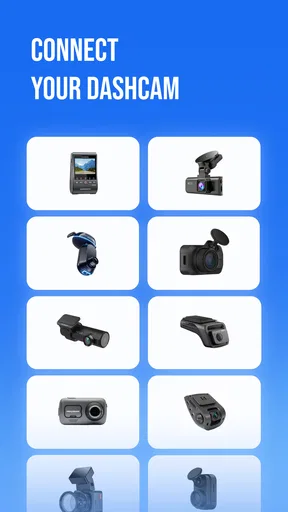
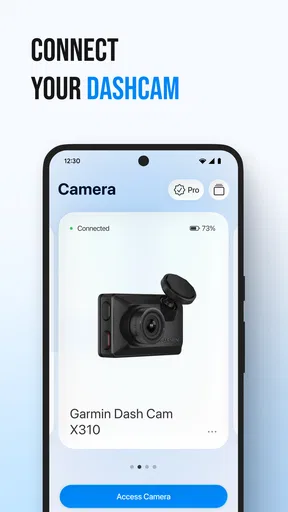
Its store identity is deliberately narrow: watch and download dash cam videos, with support for Redtiger, Viofo, Rexing and other cameras. That support is the central reason to try it. If your camera is among the compatible models, the app can potentially become the middle step between the camera and your phone gallery. If your hardware is outside that group, the experience may be much less useful, so I would check compatibility before making it part of my regular driving routine.
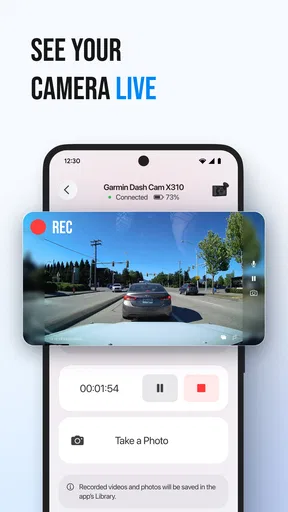
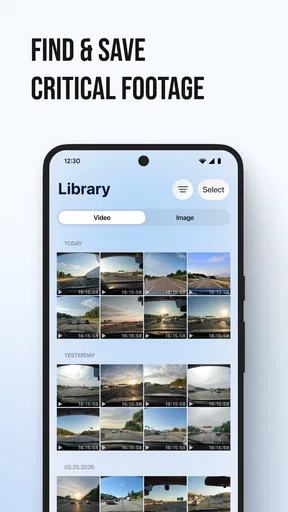
In everyday terms, the expected workflow is straightforward. I would connect to the camera in the manner it supports, locate the relevant recording, watch it to confirm the moment, and download only the clips worth keeping. That last step is more important than it sounds. Dash cam files can be large, and automatically saving every recording would quickly make a phone harder to manage. A viewer that encourages selective downloads is better suited to real-world use than one that turns the phone into a permanent archive.
Speed expectations depend on the footage, not just the app
I would not judge the app’s perceived speed by opening it once and expecting every recording to appear instantly. Video browsing involves several moving parts: the camera’s connection, the file size, the recording format, the phone’s storage, and the time required to transfer a clip. Even a well-designed viewer can feel slow when asked to pull a long, high-quality recording over a wireless link. That is a limitation of the task as much as a criticism of the application.
For quick checks, the experience should be most comfortable when I already know roughly which recording I need. Searching through an entire day of driving is a different proposition from watching one recent clip. My practical advice is to use the app immediately after an incident or trip, while the approximate time and location are still fresh. That makes the viewer feel faster because I am not asking it to become a complete media library.
A useful habit is to preview before downloading. Watching a short portion first lets me avoid moving an irrelevant file to the phone. It also helps answer a question many new users have: do I need the full recording, or only the few seconds surrounding the event? For insurance, a traffic dispute, or a close call, the complete original may be important. For a scenic drive, a shorter selected file is usually more practical.
The best speed improvement is often better file selection. Rather than repeatedly downloading clips just to discover they are not the right ones, I would note the approximate time, check the camera’s recording sequence, and transfer only the likely candidates. This is a small workflow change, but it makes a bigger difference than expecting the app to overcome a slow camera connection.
What happens during heavier viewing and downloading
The demanding moments are easy to identify: opening long recordings, switching between several clips, and downloading video while the phone is also handling other tasks. I would be especially careful when using the app with a nearly full phone. Video storage needs room not only for the downloaded file but also for normal temporary processing and the phone’s everyday operation. Keeping a little breathing space available makes the whole process less stressful.
For a routine review, I would work in batches. First identify the relevant clips, then download them one at a time, and finally move or share the useful files. Trying to download a large collection in one sitting is less predictable and makes it harder to notice whether a particular transfer failed. A staged approach also reduces the chance of filling the phone with duplicate recordings.
There is another trade-off between convenience and evidence quality. A downloaded copy is easier to share, but the original recording on the camera may remain the safer reference until I have checked the transfer. I would not erase the camera’s copy immediately after downloading. Instead, I would open the saved file on the phone, confirm that it plays correctly from beginning to end, and only then consider clearing space on the camera according to my own storage routine.
That verification step is particularly important for an incident recording. A thumbnail or partial preview is not enough. I want to know that the saved video contains the right moment and that the transfer did not leave me with an incomplete or unusable file. This is not a flashy feature, but it is the kind of discipline that makes a dash cam viewer genuinely useful when the footage matters.
Stability and recovery after an interrupted session
Dash cam viewing is more sensitive to interruptions than ordinary browsing. The camera connection may change, the phone may lock, or another application may take priority. I would therefore approach the app as a tool that benefits from a calm, deliberate session rather than something I leave transferring unattended for a long time.
If a connection drops, my first recovery step would be simple: stop the transfer, reconnect to the camera, and check whether the file already appears on the phone before starting again. Repeating a download without checking can create duplicates and waste storage. If the app returns to a neutral screen after an interruption, I would treat that as a cue to verify the saved files rather than assuming the last action completed.
For important footage, I would keep the phone close to the camera during transfer and avoid switching networks unnecessarily. This is practical advice rather than a promise about how every setup behaves. Different camera brands can expose different connection methods, and the experience with a Redtiger camera may not feel identical to using a Viofo or Rexing device. The app’s broad support is useful, but it does not erase those hardware differences.
The current release is version 1.1.1, so I see it as a relatively young product rather than a tool with years of refinement behind it. That does not make it a poor choice, but it does make my expectations more measured. I would keep the app updated, test a short clip before relying on it for an urgent situation, and avoid making it the only place where valuable footage exists.
Phone limits that can change the experience
The minimum operating-system requirement is Android 9, which keeps the app accessible to many older devices while still excluding phones that are well beyond their supported software life. A compatible operating system is only the starting point. The phone also needs enough free storage for downloaded videos, a screen that makes detail easy to inspect, and a battery level that will not turn a long transfer into an avoidable interruption.
Older or entry-level phones may handle ordinary video playback comfortably but struggle more when several large files are being opened and saved. I would not automatically blame the app if a very full or aging device takes longer to display footage. In that situation, deleting duplicate downloads, closing unrelated apps, and reviewing one clip at a time are sensible first steps.
Storage is the constraint most likely to surprise new users. Dash cam footage is not like a few photographs; even a short journey can produce a collection of sizable files. I would create a simple folder or album for selected recordings and remove failed transfers or duplicates after checking them. If I need to preserve evidence, I would also make a second copy elsewhere rather than treating the phone as a permanent archive.
There is a usability trade-off between phone viewing and computer viewing. The phone wins when I need a quick answer beside the car or want to send a selected clip immediately. A computer is usually better for comparing many recordings, maintaining a long-term archive, or inspecting details across a larger screen. This app makes the phone more capable, but it does not eliminate the advantages of a desktop file-management workflow.
A realistic situation where it earns its place
Imagine I hear a sudden impact while driving and am unsure whether the car beside me moved into my lane. Once parked safely, I can use the viewer to locate the recording, watch the relevant section, and download the clip for closer inspection. I would then check that the saved video plays properly, preserve the original on the camera, and share the copy only through a method I trust. The app is valuable here because it shortens the path from uncertainty to evidence.
A less dramatic example is a weekend drive. I may want to keep one stretch of scenery without transferring an entire day of recordings. The practical workflow is to review the likely time window, preview the clips, download the few worth keeping, and clear the rest from the phone after confirming the files. That makes the app useful even when nothing went wrong on the road.
It can also help someone who is buying a used car with a dash cam already installed. Rather than assuming the camera is working because its screen lights up, I would use the viewer to test whether recordings can be accessed and saved. That does not replace a full hardware inspection, but it gives a more realistic check of the camera-to-phone workflow.
Who should use it, and who should choose something else
I think this app is a good fit for drivers who own a supported dash cam and regularly need to inspect or download recordings on Android. It is also appealing to people who dislike removing memory cards or moving files through a computer for every small review. The free entry point makes it easy to test with existing equipment before committing to a more elaborate setup.
I would be more cautious if I rarely record video, have no compatible dash cam, or need advanced editing, automatic incident organization, or a complete cloud archive. The app’s focused purpose is a strength, but it also sets a boundary. A camera manufacturer’s official application may be the better option when it offers deeper controls for that exact camera. A file manager may be enough for someone who is comfortable removing the memory card. A desktop video workflow is preferable for large archives and detailed evidence review.
The presence of in-app purchases ranging from $1.99 to $49.99 per item also deserves attention before using it beyond the free starting point. I would first establish what the free experience can do with my camera and only then decide whether any optional purchase is worthwhile. Since dash cam compatibility is the foundation of the app’s usefulness, paying for extras would make little sense if the basic connection or file access does not fit my setup.
The Everyone content rating makes the app broadly suitable from an age-classification perspective, but that should not be confused with safe use while driving. I would never browse recordings or operate the phone in motion. The appropriate time is when the vehicle is parked, and the appropriate priority is always road safety over checking a clip.
My performance verdict
After looking at the app as a working tool rather than just a download, I see Dash Cam: Dashcam Viewer as a practical bridge between compatible dash cams and everyday phone use. Its perceived responsiveness will depend heavily on the camera connection and the size of the recording, while its stability is best protected by short, deliberate transfer sessions. It is not a replacement for a camera, a full editor, or a serious archive system, and I would not pretend that one viewer can make every hardware combination equally smooth.
What I like is the clear purpose. When I need to watch a recording or save a selected clip, a dedicated viewer is more convenient than improvising with unrelated media tools. Support for Redtiger, Viofo, Rexing and other cameras gives it a useful starting range, and the free price removes much of the risk involved in testing it. The early rating of 4.4 and audience of over 10 thousand installs add confidence, while the young version number reminds me to keep a backup plan for important footage.
My recommendation is therefore conditional but positive: install it if you own a compatible camera and want a phone-first way to review recordings. Start with a short, unimportant clip, learn how downloads behave on your device, and build a habit of verifying saved files before deleting originals. If you need deep camera controls, extensive editing, or long-term evidence management, I would choose the manufacturer’s tool or a computer-based workflow instead. For the narrower job it sets out to handle, however, Dash Cam: Dashcam Viewer can make an otherwise awkward part of dash cam ownership noticeably easier.
Privacy and Permissions
See what permissions an app requests and how it handles your data.
- Location
- precise location (GPS and network-based)
- Photos/Media/Files
- read the contents of your USB storage, modify or delete the contents of your USB storage
- Storage
- read the contents of your USB storage, modify or delete the contents of your USB storage
- Wi-Fi connection information
- view Wi-Fi connections
- Other
- view network connections, change network connectivity, connect and disconnect from Wi-Fi, full network access, run at startup, control vibration, prevent device from sleeping, Google Play license check, read Google service configuration
Verdict
Strengths of Dash Cam: Dashcam Viewer
- Supports multiple dashcam video formats and resolutions.
- Useful GPS map view helps connect footage with routes.
- Makes reviewing long recordings faster with timeline controls.
- Can export selected clips for easier sharing or backup.
- Works well for checking incidents without complex editing tools.
Limitations of Dash Cam: Dashcam Viewer
- Compatibility may vary between dashcam brands and file structures.
- Large video files can require substantial storage space.
- Advanced features may be limited in the free version.
- Processing high-resolution footage can drain battery quickly.
- The interface may feel less intuitive for first-time users.
Similar Picks in This Category
View All
Android Auto
Google LLC4.1

maxim — order a taxi & food
PT. SITO4.7

Штрафы ГИБДД: проверка с фото
Pays LLC – Штрафы ГИБДД4.7

Номерограм – проверка авто
Авто Ассист4.8

Дром Авто
Дром4.9

Frequently Asked Questions
What is Dash Cam: Dashcam Viewer used for?
Dash Cam: Dashcam Viewer is designed to help you review and organize driving footage recorded by a compatible dash camera. After importing video files, you can watch clips, inspect journeys, and in some cases view related information such as date, time, location, or speed, depending on what the camera records. It is especially useful for checking incidents, finding memorable road trips, and managing recordings without relying only on the dash cam’s small screen.
Can I use Dash Cam: Dashcam Viewer with any dash camera?
Compatibility depends on how your dash camera stores its recordings and which video, folder, or metadata formats the app supports. Many cameras save standard video files, but proprietary formats, unusual folder structures, encrypted footage, or unsupported GPS data may not work correctly. Before downloading, check the app’s current compatibility information and confirm that your camera can transfer files to your Android or iOS device through its supported connection method.
How do I transfer dashcam videos into the app?
The transfer process varies according to your dash camera and phone. You may need to use Wi-Fi, a memory-card reader, a USB adapter, cloud storage, or the phone’s file-sharing tools. Once the recordings are accessible, you generally select or open them through Dash Cam: Dashcam Viewer. Large or high-resolution files can take time to copy, and keeping the app open during transfer may help prevent interruptions.
Does Dash Cam: Dashcam Viewer require an internet connection?
An internet connection may not be necessary for viewing video files that are already stored on your device, although this can depend on the app’s specific features. Internet access may still be required for downloading the application, checking for updates, displaying online maps, synchronizing cloud content, or using connected-camera functions. If privacy or mobile-data usage is a concern, review the app permissions and use local files whenever possible.
Is Dash Cam: Dashcam Viewer free, and are there any limitations?
The availability of free features, advertising, in-app purchases, or subscription options can vary by platform and app version. Basic video viewing may be available without payment, while advanced tools could be restricted, such as detailed trip information, additional export options, broader format support, or an ad-free experience. Check the Google Play Store or Apple App Store listing before installing so you understand the current pricing and limitations.
